

Multi-Currency Restaurant Billing
Choose your currency. Keep billing simple.
Choose the currency your restaurant uses for menus and billing from a wide selection of global currencies. Set your preferred currency and display menu prices using the selected currency without automatic price conversion.
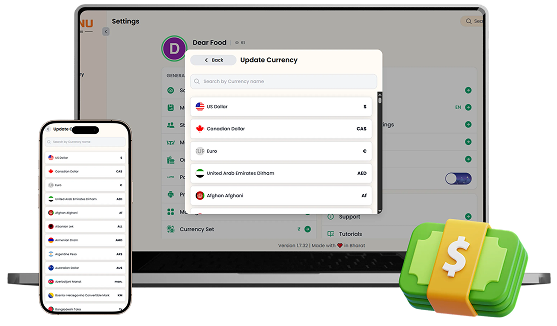

What You’ll Get From Multiple Currency Support

Global Currency
Selection

Currency-Based
Menu Pricing

Clear Foreign
Currency Billing
How Multiple Currency Support
Speeds Up Your Workflow
Step-by-step visual walkthrough showing how Multiple Currency Support operates in your restaurant.
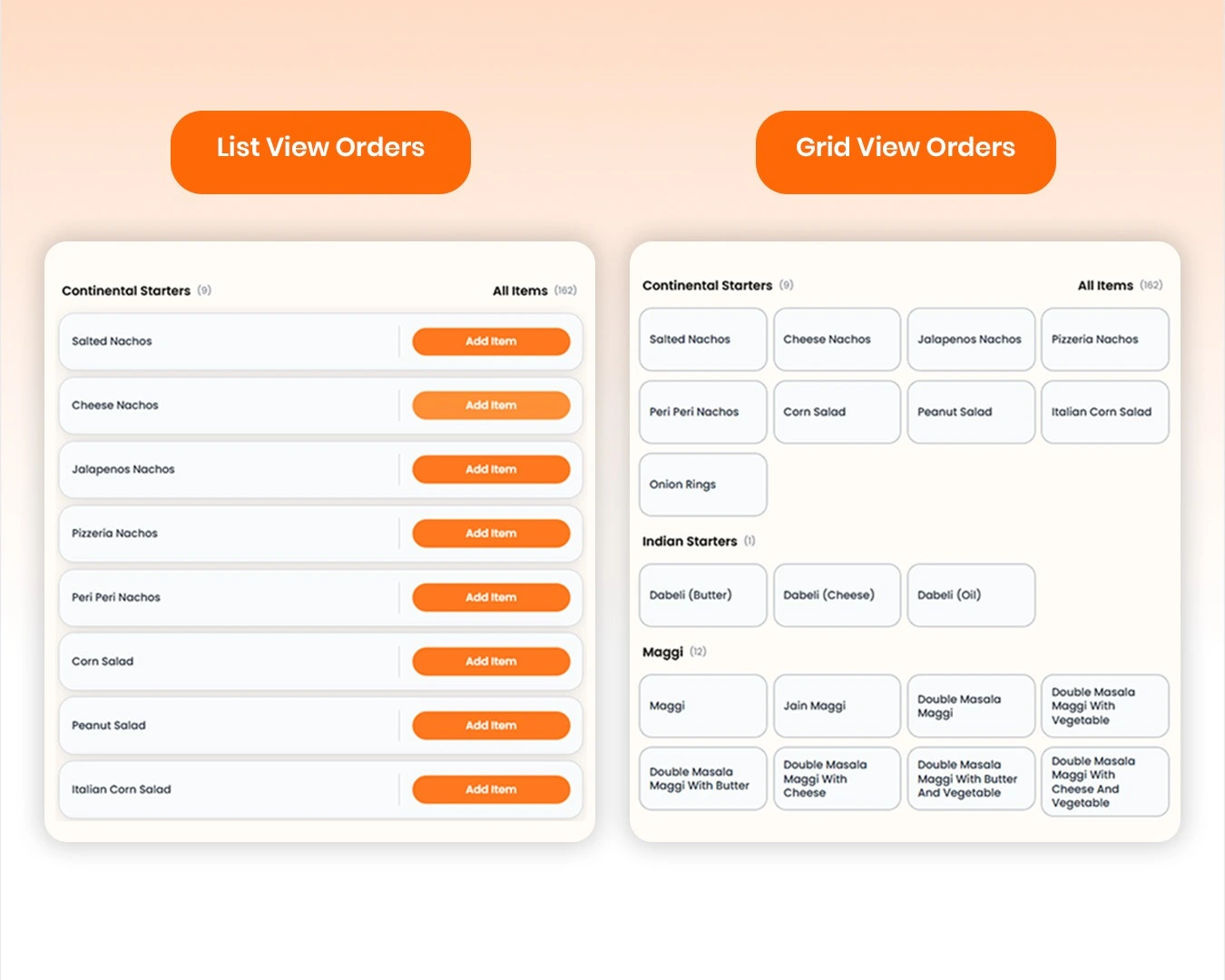
Set Your Preferred Currency & Menu Prices
Choose the currency that matches your restaurant's location or billing requirements from a wide selection of global currencies. Once selected, create and manage your menu with prices entered in that currency, keeping displayed prices and billing consistent without automatic exchange-rate conversion.
Manage your Multiple Currency Support operations easily and digitally
Choose your preferred currency from a wide selection of global currencies and use it consistently across your restaurant's menu and billing.
Create menu prices directly in your selected currency without automatic exchange-rate conversion, keeping the amounts exactly as you enter them.
Give restaurants operating in different countries or serving international guests a simple way to manage billing in the currency they need.
SOMENU Advantage
Specifically designed to tackle common food business hurdles in India-like internet disconnections, waiter training, and peak hour order rush.
- ✓ No expensive hardware needed
- ✓ Easy for staff to learn (10 mins)
- ✓ 15-day risk-free free trial
Why Choose SOMENU for
Multiple Currency Support
Powering your restaurant business with features that eliminate manual hassle and boost kitchen speed.
Global Currency Support
Choose from a wide range of currencies for your restaurant's billing and menu.
Currency-Based Menu Pricing
Create menu prices directly in your selected restaurant currency.
Consistent Billing
Display menu prices and bills using the same selected currency throughout your restaurant.
All Included Features
Everything you need in one powerful POS system. No separate purchases required.
Operations



Customer Experience



Analytics & Global



Operations
Customer Experience
Analytics & Global
Operations
Customer Experience
Analytics & Global
Operations
Customer Experience
Analytics & Global
Operations
Customer Experience
Analytics & Global
Operations
Customer Experience
Analytics & Global
FAQs
Everything you need to know about the Multiple Currency Support.
Yes. SOMENU supports a wide range of global currencies, allowing you to select the currency your restaurant wants to use for menus and billing.
No. SOMENU does not automatically convert prices using exchange rates. Menu prices are displayed in the selected currency exactly as entered.
Yes. After selecting your preferred currency, you can create menu prices using that currency so your restaurant's billing remains consistent.
Book Your Free SOMENU POS Demo
Get a personalized demo of the leading restaurant billing software. We will contact you as soon as possible to help configure your menu.
Call or WhatsApp
+91 80 9393 5050Email Support
contact@somenu.digitalCorporate Office
401, Alpha One Complex, Zanzerda Cross Road,
Junagadh - 362001, Gujarat, Bharat
Contact Us
Request a Callback
Still Thinking?
Try Our 15 Days Free Trial.
