

Powerful Order Management for Modern Restaurants
From counter to kitchen, perfectly connected
Stop switching between systems. Handle every Dine in, Takeaway, and Online Home Delivery orders with one smart POS that keeps your entire operation running smoothly.
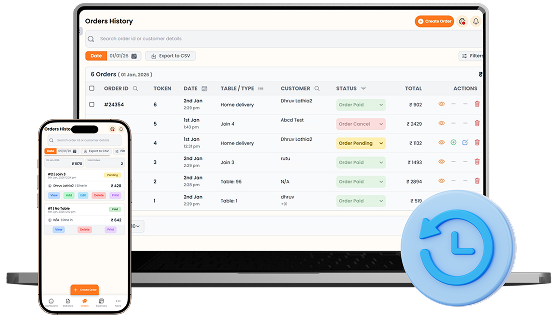

What You’ll Get From Order Management

All Orders
One Dashboard

Faster Order
Processing

Smooth Kitchen
Coordination
How Order Management
Speeds Up Your Workflow
Step-by-step visual walkthrough showing how Order Management operates in your restaurant.
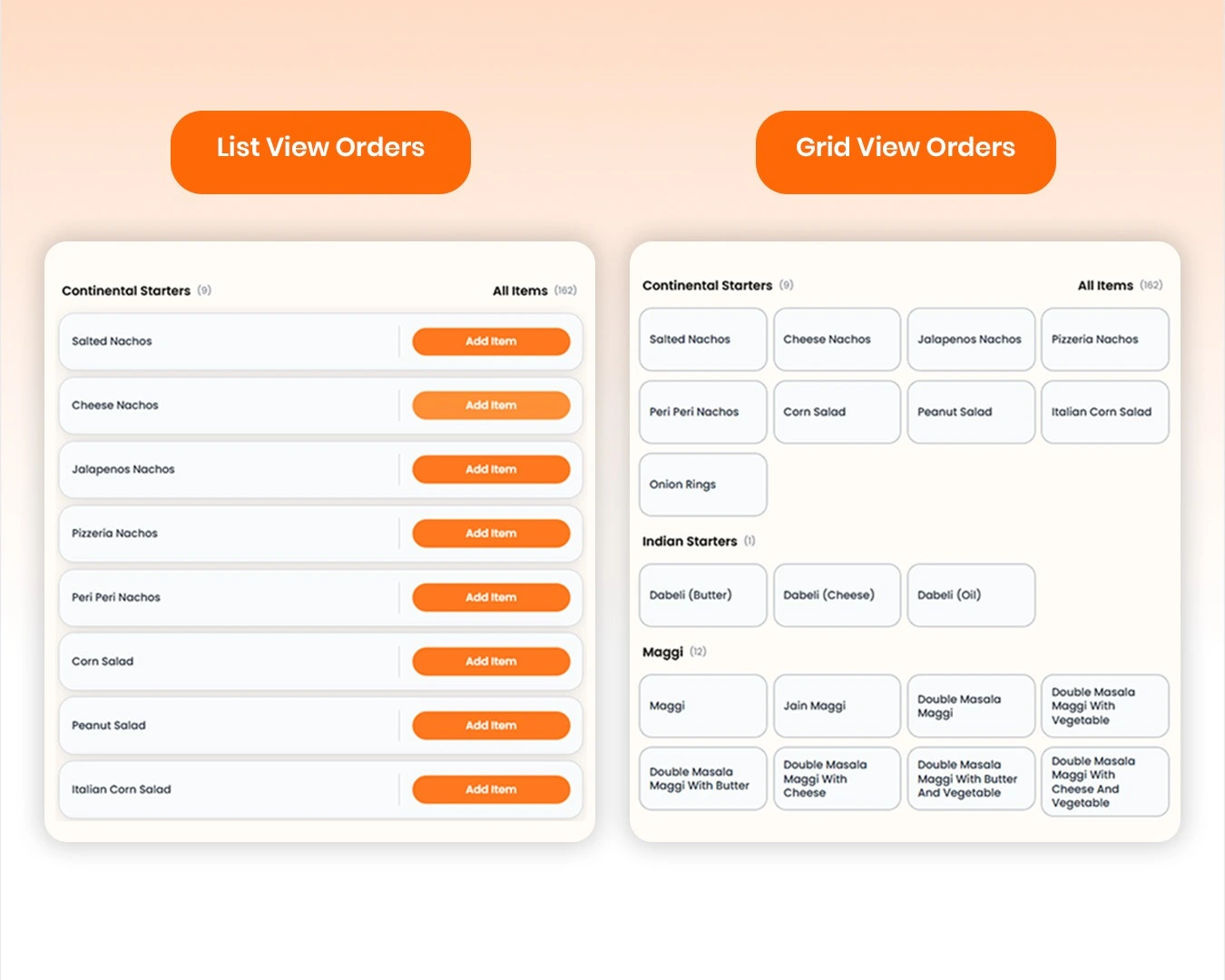
Items Listing with Multiple Views
Browse your complete menu in grid or list view for faster order taking. Quickly search items, filter them by categories, adjust quantities with a single tap, or add custom extra items that aren't already on your menu. Everything is designed to help staff find products faster and complete orders with minimal effort.
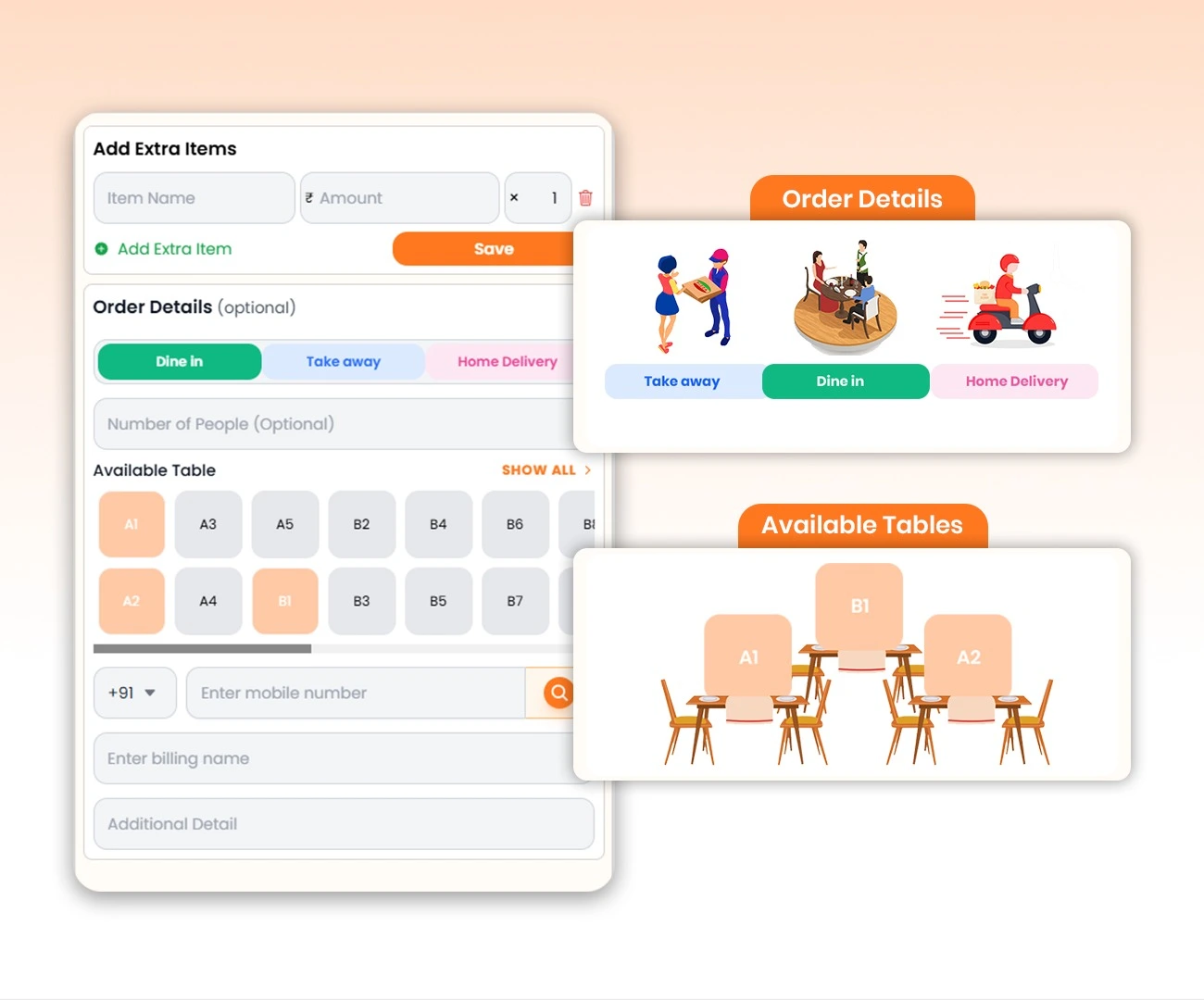
Smart Order Details for Every Order Type
Switch between Dine In, Take Away, and Home Delivery, and the form automatically updates with the fields you need. 1. Dine In:Select a table and optionally add customer details. 2. Take Away: Table selection is hidden, with an optional packaging charge. 3. Home Delivery: Customer name, phone number, and address are required, with delivery and packaging charges. Designed to keep order entry fast while adapting to every service type.
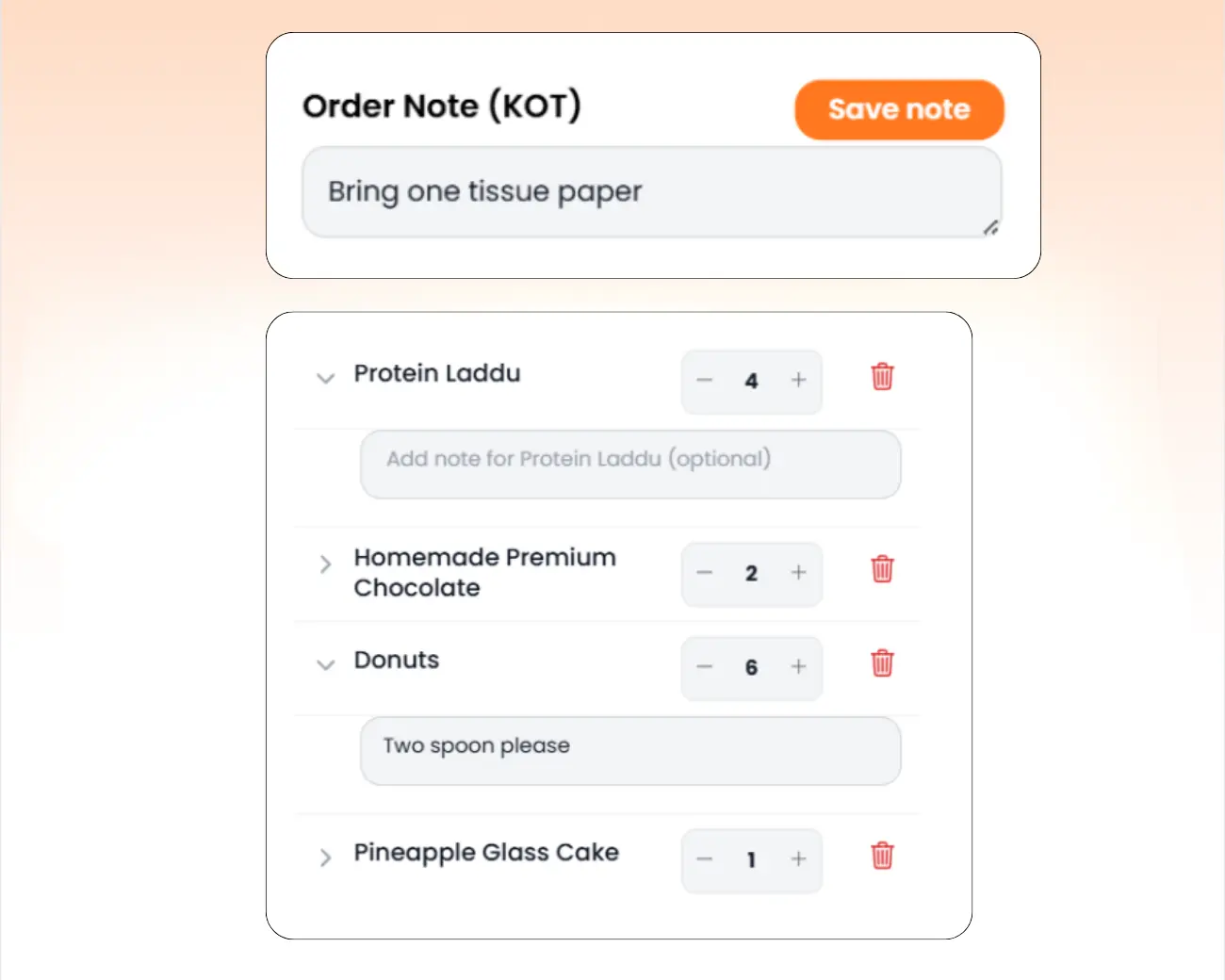
Order Summary with Order & Item-Level Notes
Review every selected item in a clean order summary. Update quantities instantly, remove items, and attach individual notes to specific dishes (such as 'Less spicy' or 'No onions'). You can also add a single Kitchen Order Ticket (KOT) note for special instructions that apply to the entire order.
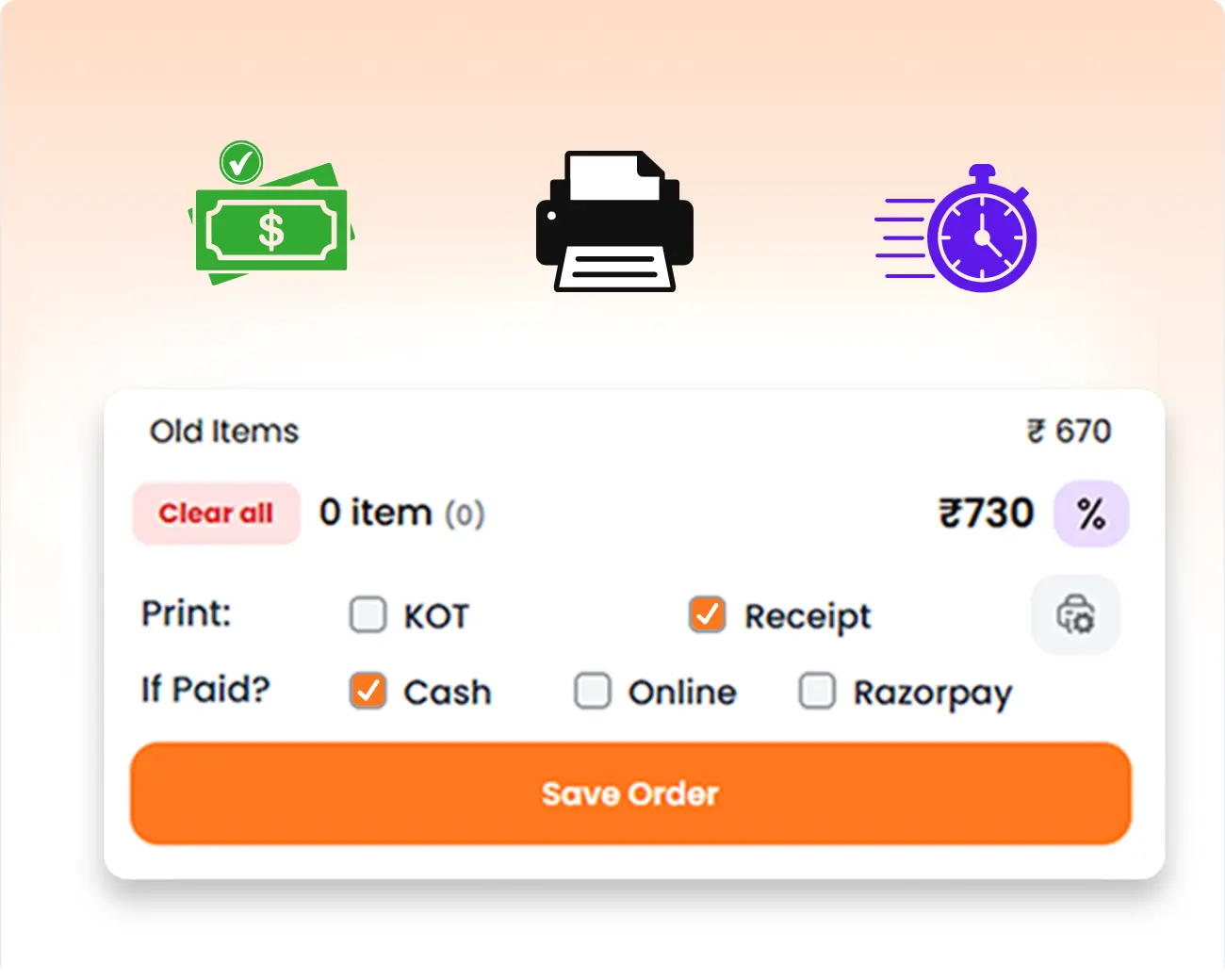
Fast Billing, Printing & Payment Processing
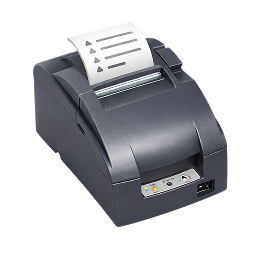
Complete orders from a single panel. View the total, print the station-wise KOT, receipt, or both, and instantly mark orders as paid for QSR operations. With Razorpay enabled, customers can pay using a dynamic QR code, and successful payments automatically mark the order as paid.
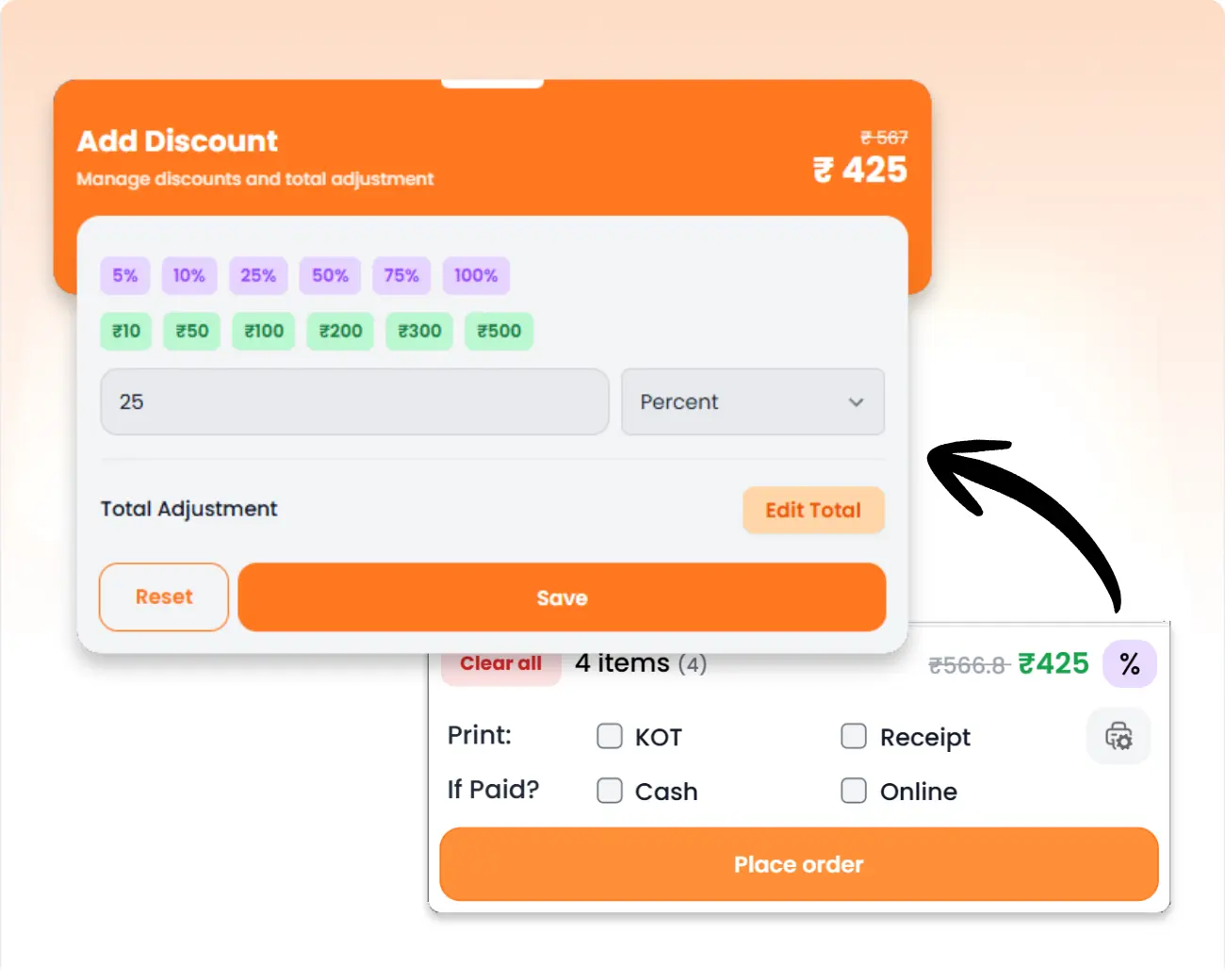
Flexible Discounts & Smart Total Adjustments
Apply discounts using either a flat amount or a percentage, with quick preset values for even faster billing. Need to round the final bill? Use Total Adjustment to increase or decrease the payable amount, making it easy to convert totals like ₹998 to ₹1,000 or adjust them to any preferred value before completing the order.
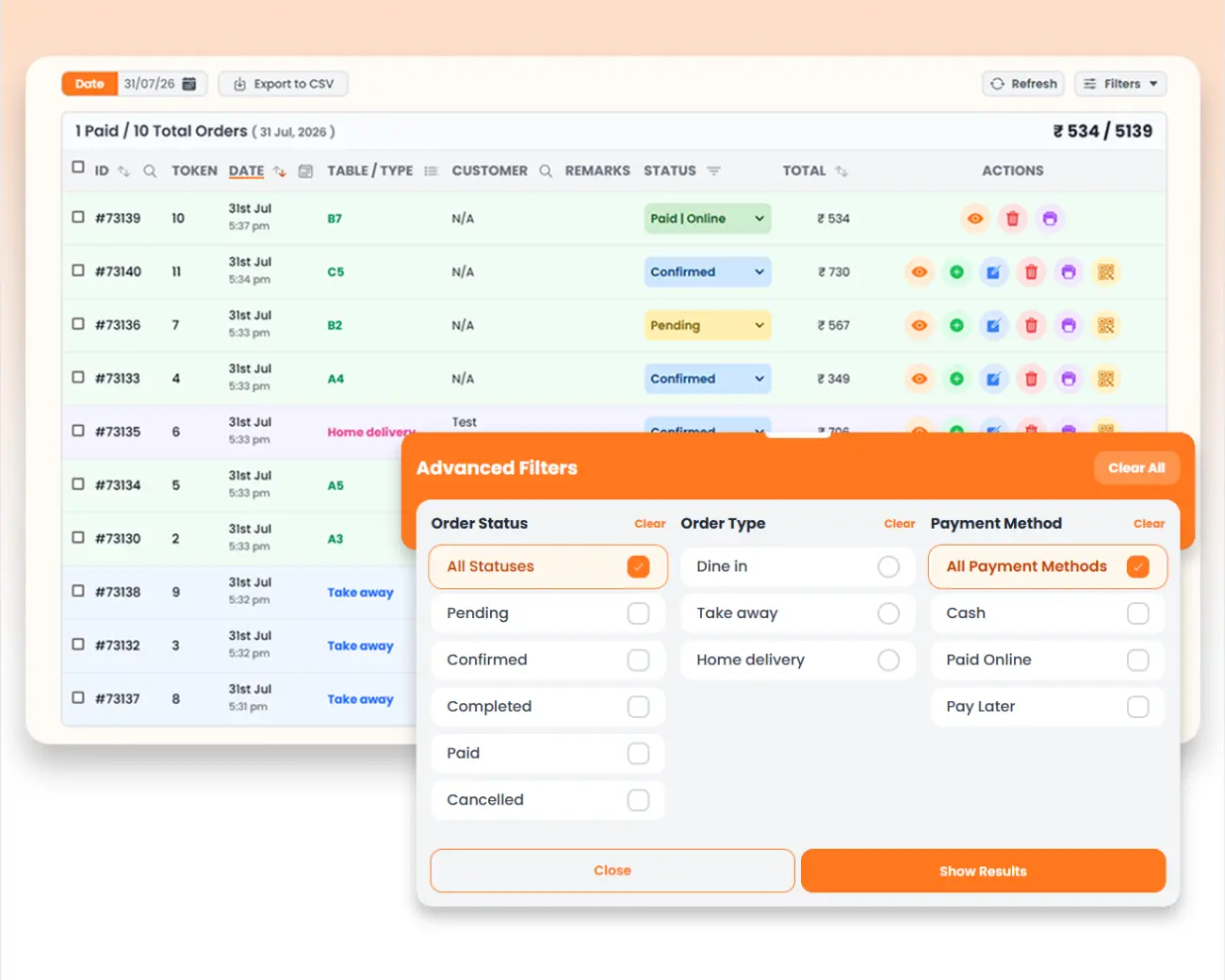
Orders History & Advanced Filtering
Track every order from a centralized order history with real-time status updates, customer details, payment information, and quick actions like view, edit, duplicate, print, or delete. Powerful filters let you instantly narrow results by date, order status, order type, payment method, table, and more, making it easy to find specific orders, monitor daily operations, and manage your restaurant efficiently.
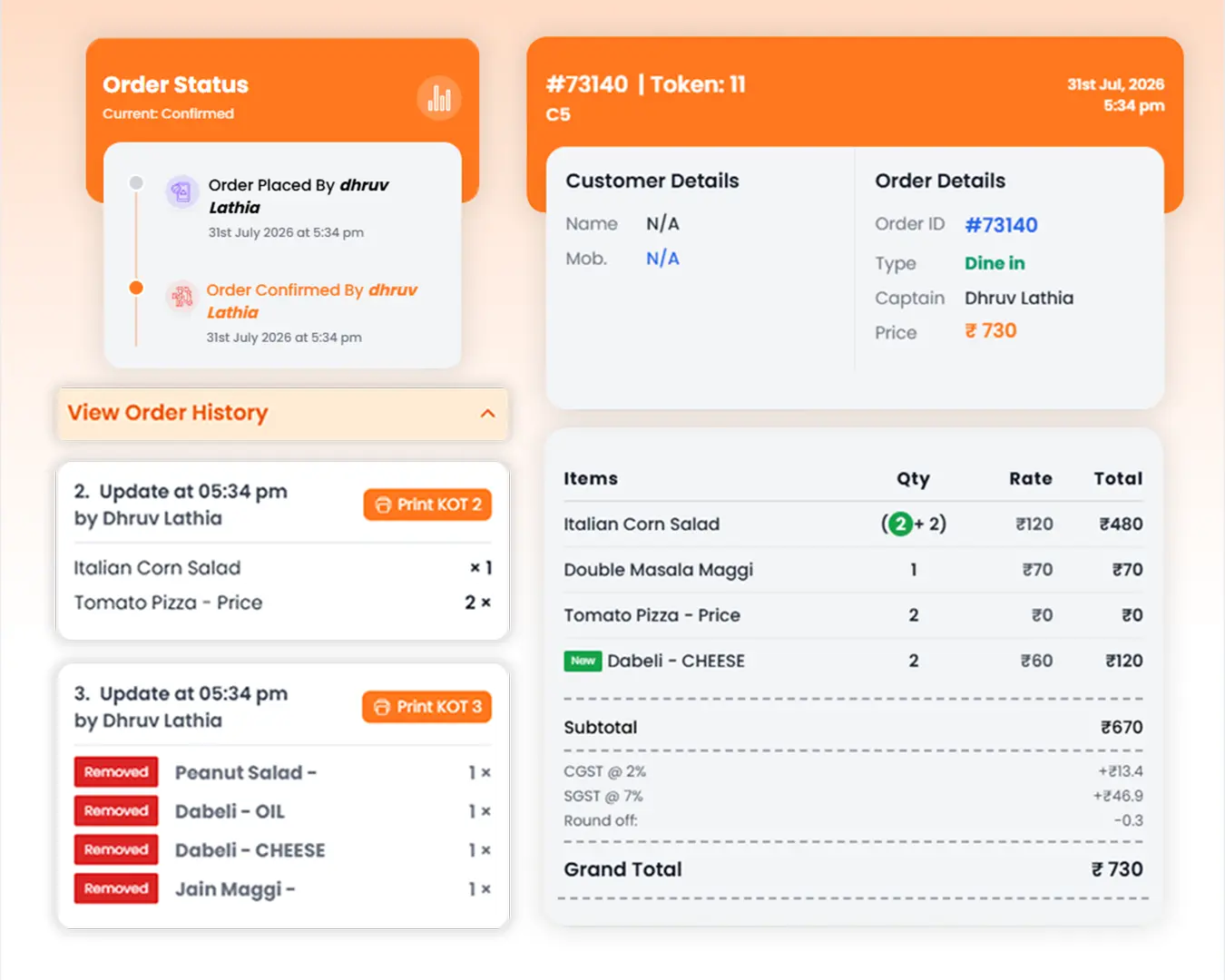
Complete Order Tracking & Timeline
Monitor every order from creation to completion with a detailed timeline of status updates and KOT history. View customer details, billing summary, taxes, discounts, and payment information, then quickly print KOTs or receipts, edit orders, update statuses, reprint previous KOTs, or mark orders as paid, all from one centralized screen.
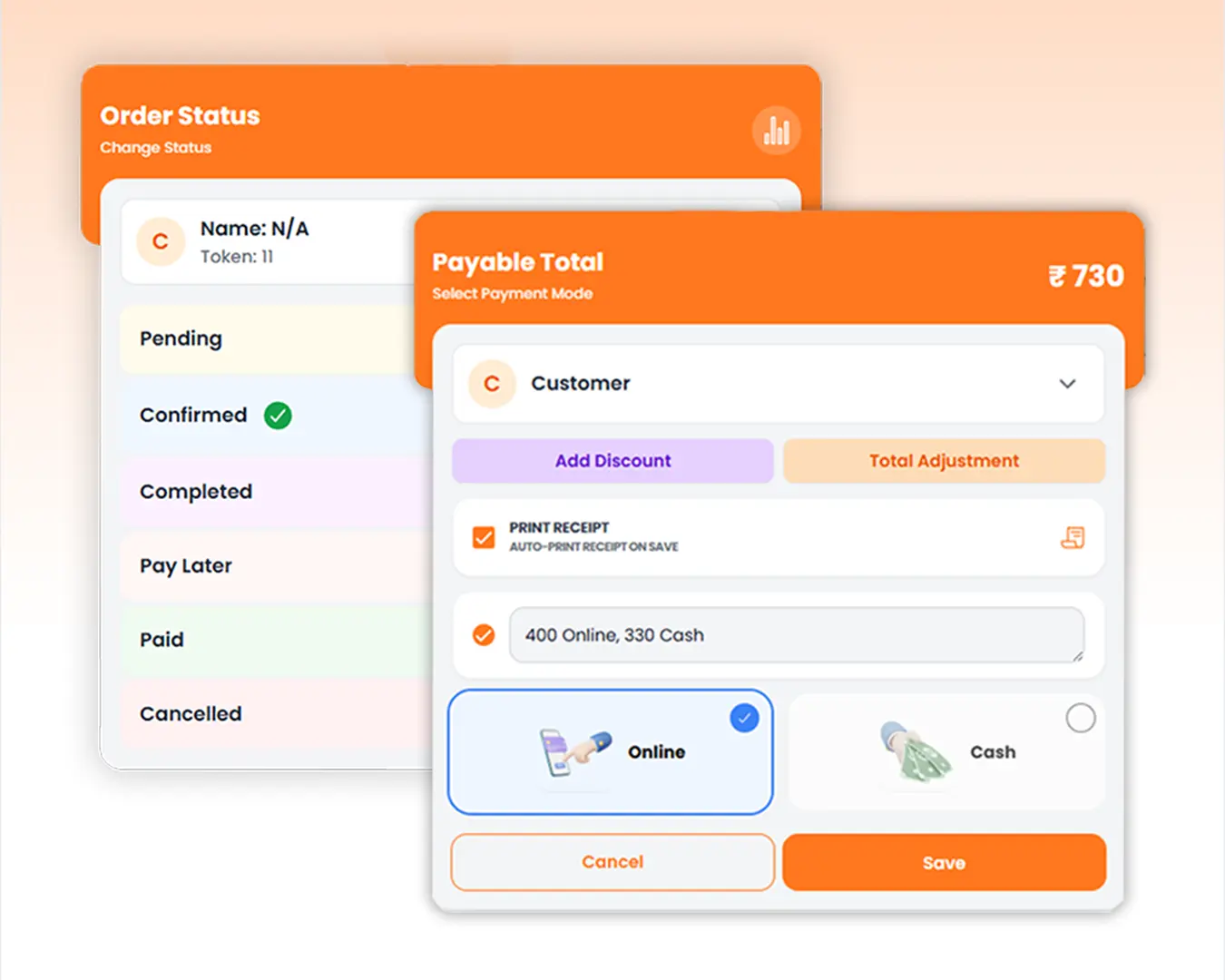
Flexible Order Status & Payment Management
Keep every order moving with customizable status updates from Pending to Confirmed, Completed, Paid, or Cancelled. Instantly change payment status, split payments across multiple methods, apply discounts or total adjustments, enable automatic receipt printing, and record payment notes, all from a single, easy-to-use interface.
Manage your Order Management operations easily and digitally
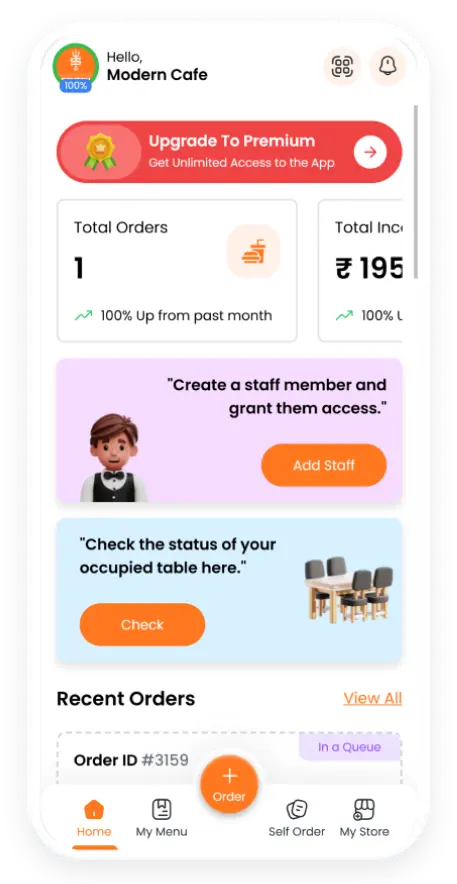
Managing Dine-in, Takeaway, and Home-Delivery orders across different channels can be challenging. SOMENU brings every order into one unified dashboard, where you can track live statuses, assign tables, split or merge bills, add custom items, apply discounts, and update orders without switching screens. Smart order forms automatically adapt to each order type, helping your staff serve faster with fewer mistakes.
Boost kitchen efficiency with station-wise KOT printing, automatically routing items to the correct preparation stations. Accept payments via static UPI QR codes or dynamic Razorpay QR codes that automatically mark orders as paid. Complete order history, role-based permissions, and secure approval logs keep your operations organized from order placement to payment.
SOMENU Advantage
Specifically designed to tackle common food business hurdles in India-like internet disconnections, waiter training, and peak hour order rush.
- ✓ No expensive hardware needed
- ✓ Easy for staff to learn (10 mins)
- ✓ 15-day risk-free free trial
Why Choose SOMENU for
Order Management
Powering your restaurant business with features that eliminate manual hassle and boost kitchen speed.
Unified Live Feed
Dine-in, takeaway, and delivery orders tracked in a single view.
Station-wise KOT
Print KOTs directly to the right kitchen station.
KOT Tracking
Track every KOT of an order and order status in real time.
Simple & Fast UI
Clean interface for faster order processing.
Quick Service
Mark orders as paid in while creating orders.
Order Search & Filters
Find orders instantly with smart search and filters.
All Included Features
Everything you need in one powerful POS system. No separate purchases required.


Customer Experience



Analytics & Global




Customer Experience
Analytics & Global
Customer Experience
Analytics & Global
Customer Experience
Analytics & Global
Customer Experience
Analytics & Global
Customer Experience
Analytics & Global
FAQs
Everything you need to know about the Order Management.
Yes. SOMENU consolidates all order types into a single unified order management dashboard, preventing mix-ups and keeping your kitchen organized.
Yes. You can instantly add custom items with custom pricing without editing your main menu, making it ideal for special requests or one-time products.
Yes. Add notes for individual items or include a single KOT note for the entire order, ensuring the kitchen receives every special instruction.
Yes. Assign orders to tables, view table availability in real time, and manage dine-in operations smoothly.
Yes. Apply flat or percentage discounts, flat discounts, and even adjust the final bill amount before completing the order.
Yes. UPI based static QR Code and When Razorpay is enabled, SOMENU generates a dynamic payment QR code. Orders are automatically marked as paid once the payment is successful.
Yes. SOMENU can route items to different kitchen printers based on their preparation station. You can print Kitchen Order Tickets (KOT), customer receipts, or both, ensuring every department receives the correct order instantly.
Yes. Instantly search items, browse by categories, and switch between grid and list views for faster order taking.
Book Your Free SOMENU POS Demo
Get a personalized demo of the leading restaurant billing software. We will contact you as soon as possible to help configure your menu.
Call or WhatsApp
+91 80 9393 5050Email Support
contact@somenu.digitalCorporate Office
401, Alpha One Complex, Zanzerda Cross Road,
Junagadh - 362001, Gujarat, Bharat
Contact Us
Request a Callback
Still Thinking?
Try Our 15 Days Free Trial.
