

Restaurant Staff Management & Access Control
Give every team member the right level of access.
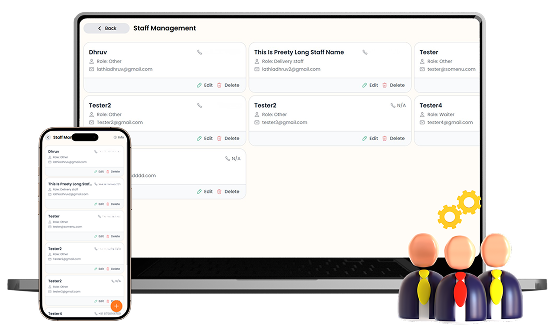
Create staff accounts, assign roles, and control access to different areas of your restaurant POS. Give each team member only the permissions they need across menus, orders, tables, inventory, expenses, reports, and other features.

What You’ll Get From Staff Management

Staff Roles &
Accounts
Granular Feature
Permissions

Secure Staff
Access Control
How Staff Management
Speeds Up Your Workflow
Step-by-step visual walkthrough showing how Staff Management operates in your restaurant.
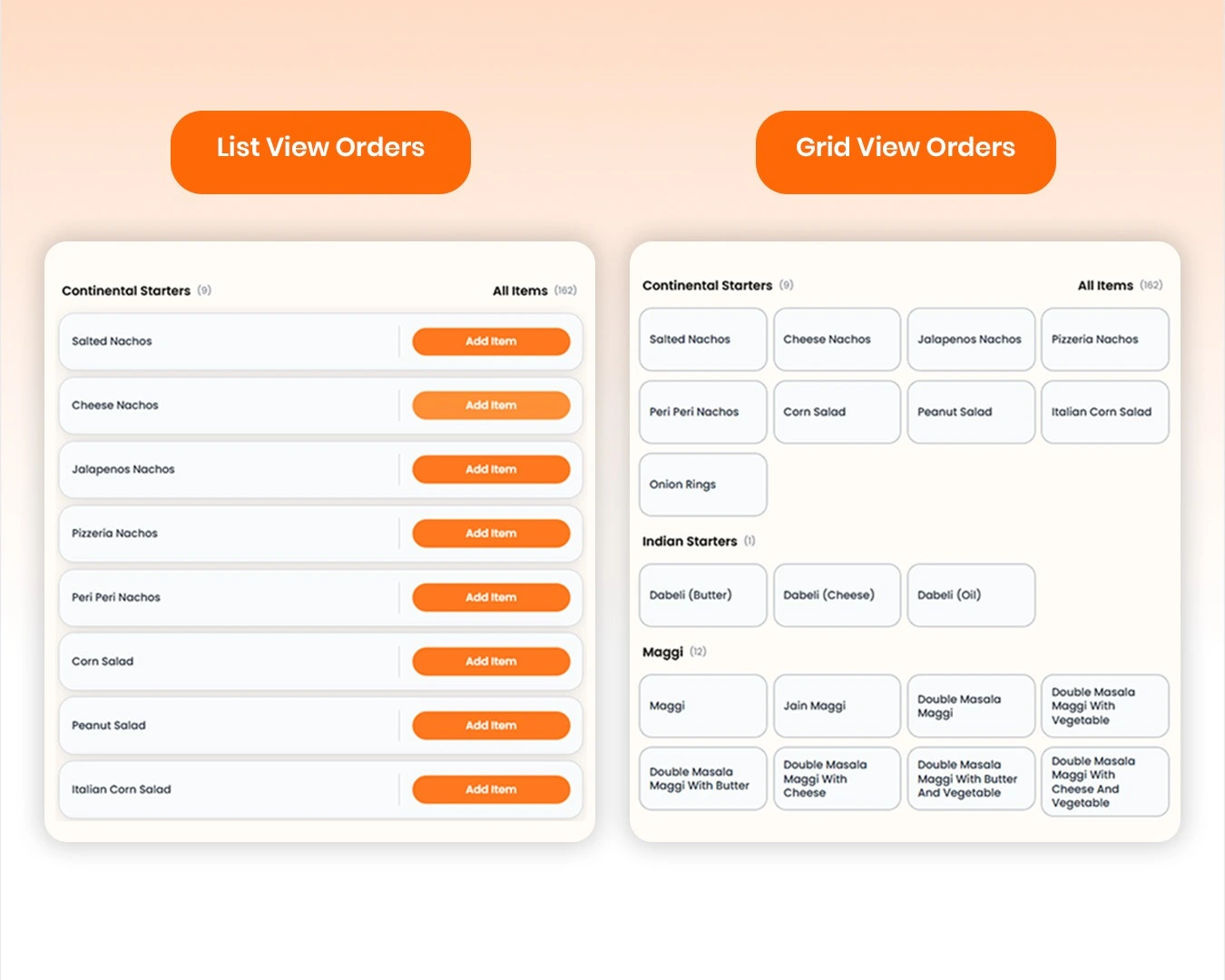
Create Staff Accounts & Assign Roles
Add team members with their name, email address, mobile number, password, and assigned role. Keep your restaurant staff organized in one place and easily edit or remove staff accounts whenever your team changes.
Control Access with Detailed Permissions
Decide exactly what each staff member can access by enabling individual permissions across menus, items, tables, orders, categories, expenses, inventory, reports, and WhatsApp automation. Use the permission controls to give staff access only to the features required for their role.
Manage your Staff Management operations easily and digitally
Create individual staff accounts with names, email addresses, mobile numbers, passwords, and assigned roles to keep your restaurant team organized.
Control exactly what each team member can access with detailed permission settings for menus, items, tables, orders, categories, expenses, inventory, reports, and WhatsApp automation.
Give staff only the permissions they need for their responsibilities, while keeping sensitive restaurant features and management controls restricted to authorized team members.
Update staff details, change permissions, or remove accounts whenever your team structure or responsibilities change.
SOMENU Advantage
Specifically designed to tackle common food business hurdles in India-like internet disconnections, waiter training, and peak hour order rush.
- ✓ No expensive hardware needed
- ✓ Easy for staff to learn (10 mins)
- ✓ 15-day risk-free free trial
Why Choose SOMENU for
Staff Management
Powering your restaurant business with features that eliminate manual hassle and boost kitchen speed.
Staff Accounts
Create and manage individual accounts for your restaurant team.
Role Management
Assign roles to staff members based on their responsibilities.
Granular Permissions
Control access to individual restaurant features and actions.
Menu & Order Access
Choose who can create, update, delete, or view menus and orders.
Inventory & Expense Access
Control which team members can manage stock and restaurant expenses.
Reports & WhatsApp Access
Restrict access to reports, customer reports, and WhatsApp automation.
All Included Features
Everything you need in one powerful POS system. No separate purchases required.

Customer Experience



Analytics & Global




Customer Experience
Analytics & Global
Customer Experience
Analytics & Global
Customer Experience
Analytics & Global
Customer Experience
Analytics & Global
Customer Experience
Analytics & Global
FAQs
Everything you need to know about the Staff Management.
Yes. SOMENU lets you create individual staff accounts with a name, email address, mobile number, password, and assigned role.
Yes. You can enable or disable individual permissions for features such as menus, items, tables, orders, categories, expenses, inventory, reports, and WhatsApp automation.
Yes. Each staff account can have its own permission settings, allowing you to give team members access based on their specific responsibilities.
Yes. Staff permissions can control access to inventory stock management, recipe management, and expense-related actions such as creating, updating, and deleting expenses.
Yes. Reports & Statistics permissions can be managed separately, including access to general reports and customer reports.
Yes. From Staff Management, you can edit existing staff accounts or delete them when a team member no longer needs access.
Book Your Free SOMENU POS Demo
Get a personalized demo of the leading restaurant billing software. We will contact you as soon as possible to help configure your menu.
Call or WhatsApp
+91 80 9393 5050Email Support
contact@somenu.digitalCorporate Office
401, Alpha One Complex, Zanzerda Cross Road,
Junagadh - 362001, Gujarat, Bharat
Contact Us
Request a Callback
Still Thinking?
Try Our 15 Days Free Trial.
