In-Depth Comparison

Starting from SOMENU POS: The Modern Upgrade from PosBytz

Tired of complex ERP systems and module-based pricing? Switch to SOMENU for a unified, user-friendly POS with transparent flat pricing built for every food business.

Trusted by 5,000+ Indian Food Businesses

Detailed Feature Comparison

SOMENU vs Paper Menu vs PosBytz

Scroll horizontally to see how digital POS solutions compare.

FeaturesPaper MenuPosBytz
SOMENU

Instant Self-Serve Signup

How quickly you can create an account and start using the software.

Instant physical purchase

Requires demo & onboarding quote

Sign up instantly online

AI Menu Scanner

The ability to digitize physical menus automatically.

Manual rewrite

Manual onboarding / assisted import

Instant AI PDF & image scan

Free Trial & Free Menu Access

Opportunity to test the software before committing.

No trial available

Part of paid POS ecosystem only

15-day full free trial + free standalone menu

UI/UX Simplicity & Ease of Use

How fast new staff can learn the billing system.

Extremely simple

Enterprise ERP interface, complex UI

Highly intuitive, zero training required

Pricing Model & Transparency

The underlying cost structure of the software.

Ongoing printing costs

Module-based tiered pricing

Flat annual transparent SaaS fee

Order Commissions

Fees taken on direct customer orders.

0% Commission

Module-dependent transaction fees

0% Commission on direct orders

WhatsApp Business Automation

Automated communication with customers and management.

Not possible

Basic CRM / marketing only

Bills, admin alerts & inventory reports

Native Dark Mode

Eye-friendly interface for dimly lit restaurant environments.

N/A

Not supported

Built-in across all devices

Recipe-Level Inventory Management

Tracking raw materials based on dishes sold.

No tracking

Advanced production & waste tracking

Easy recipe deduction to the gram

Offline Billing & Cloud Sync

Ability to bill customers during internet outages.

100% Offline

Supported with automatic sync

Supported with dynamic auto-sync

QR Code Self-Ordering Menu

Digital menu for contactless ordering at the table.

No self-ordering

Paid module option

Self-ordering included free

Menu Theming & Brand Customization

Customizing the look of the menu.

Paper Menu

QR code image styling only

Advanced custom brand themes

Captain & Waiter Ordering App

Mobile app for waiters to take orders at the table.

Manual notepad

Supported via module

Built into single native app

Table & Reservation Management

Tracking which tables are occupied and table bills.

Mental tracking / whiteboards

Supported via module

Built into single native app

Hardware Independence

Ability to run the software on any device.

Requires zero hardware

Browser-based & app options

100% Hardware-agnostic (Any device)

Browser-Based POS Platform

Running the POS directly in a web browser without installs.

N/A

Supported directly in browser

Supported directly in browser

Kitchen Display System (KDS)

Digital screen in the kitchen replacing paper tickets.

Physical KOT passing

Supported as add-on

Available natively

Customer Loyalty & Wallet CRM

Retaining customers through rewards.

Punch cards

Supported via CRM module

Built-in customer wallet & tracking

Business Analytics & Reporting

Dashboards to track restaurant performance.

No analytics

Module-restricted reports

Advanced analytics included for all

Accounting & GST Workflows

Tracking expenses and taxes.

Manual ledger books

Full built-in accounting (P&L, Ledgers)

Streamlined GST & expense tracking

HR & Payroll Management

Managing staff salaries and attendance.

Manual registers

Included natively

Not available

Multi-Outlet Chain Management

Managing multiple restaurant locations centrally.

Impossible

Mature centralized control

Supported centralized multi-outlet

Multi-Language Support (11 Regional)

Operating the POS in local languages.

Static printing

Supported

11 Regional Languages

Payment Gateway Flexibility

Freedom to choose how you accept payments.

Cash only

Supported via integrations

Direct UPI QR on bills - 100% money goes directly to owner bank (0% fees)

* Note: For detailed explanations of each feature's functionality, please refer to the Deep Dive section above.
Hassle-Free Setup

Migrate in 4 Simple Steps

1

Sign Up for SOMENU

Create your free account. No credit card required. Instantly access the dashboard.

2

Export from PosBytz

Download your current menu items, prices, and categories from your PosBytz dashboard.

3

Instant AI Scan

Upload your exported menu PDF and let our AI scanner recreate your restaurant menu in seconds.

4

Start Billing

Connect your existing thermal printers and start taking orders without any hardware lock-in.

Upgrade Today

Why Switch from PosBytz?

Transparent Flat Pricing

PosBytz:PosBytz pricing can increase as you add modules or scale your business.

SOMENU:SOMENU offers a transparent flat annual fee for full access to all premium features.

Zero-Training Interface

PosBytz:PosBytz's ERP interface can be difficult for high-turnover billing staff to master quickly.

SOMENU:SOMENU's intuitive UI allows cashiers to process orders in seconds without prior training.

AI Menu Setup

PosBytz:Manual data entry takes days.

SOMENU:Upload your PDF to SOMENU and go live instantly.

Deep Dive Analysis

SOMENU vs PosBytz: ERP vs Dedicated POS

Let's take a closer look at how PosBytz compares to SOMENU in real-world restaurant operations.

The PosBytz Approach

PosBytz is an enterprise-grade ERP system built with a massive volume of modules covering accounting to HR. For modern restaurants and cafes, this complexity is overwhelming. Furthermore, PosBytz relies on complex module-based pricing, which can unexpectedly drive up software costs as your restaurant scales.

The SOMENU Advantage

SOMENU is engineered strictly for F&B operational speed. Rather than forcing you to navigate a bloated ERP, SOMENU delivers a streamlined billing software for restaurants. Your staff can master SOMENU's lightning-fast billing and Kitchen Order Ticket (KOT) system in under 10 minutes. While paper menus fail to track inventory, SOMENU provides live tracking included natively.

The Clear Choice

Why SOMENU is the clear choice over PosBytz

If you are currently evaluating PosBytz for your restaurant POS software, you likely noticed it is a heavy, enterprise-grade ERP system built with a massive volume of modules. For many modern restaurants, cloud kitchens, and dynamic food businesses, this sheer complexity is overwhelming. Furthermore, PosBytz relies on complex module-based pricing, which can unexpectedly drive up software costs as your restaurant scales or requires essential features like advanced inventory tracking.

SOMENU is engineered as the best modern, intuitive POS alternative to PosBytz. Rather than forcing you to navigate a bloated ERP, SOMENU delivers a streamlined billing software for restaurants. Your staff can master SOMENU’s lightning-fast billing and Kitchen Order Ticket (KOT) system in under 10 minutes. Unlike PosBytz, SOMENU offers an all-inclusive flat pricing model, giving you full access to advanced GST reports, table management, and restaurant menus without hidden fees.

Why Choose SOMENU Over PosBytz:

• Transparent Flat Pricing: Avoid unpredictable module-based costs. SOMENU offers all comprehensive restaurant POS features for a single flat annual SaaS fee. No hidden fees or tiered paywalls for analytics.

• Instant AI Menu Generator: While PosBytz requires hands-on onboarding sessions, SOMENU leverages instant AI PDF scanning technology. Digitize your physical menu and launch a fully-themed, native QR code ordering system in seconds.

• Zero-Training UI/UX: PosBytz is a massive ERP built for enterprise chains. SOMENU focuses strictly on food businesses with a highly intuitive interface, complete with Native Dark Mode and shortcut keys for lightning-fast billing.

• Native WhatsApp Automation: SOMENU goes beyond basic CRM by delivering customer bills, critical daily sales reports, and low-stock alerts directly via WhatsApp, keeping you informed anywhere.

For restaurant and cloud kitchen owners actively searching for a PosBytz alternative that guarantees faster billing speeds, a zero-training staff experience, and highly transparent SaaS pricing, SOMENU is the definitive upgrade. Start your 15-day full premium free trial today.
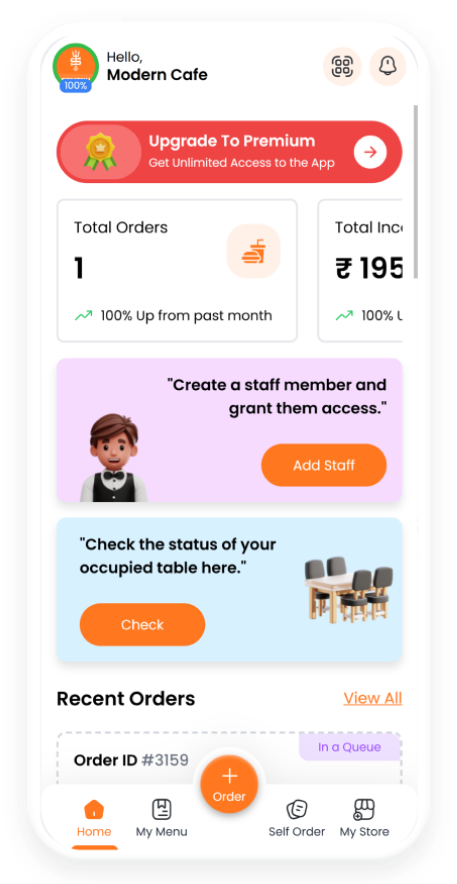
SOMENU POS on mobile phone
FAQs

Have Questions? Look Here

Find answers to common questions about switching from PosBytz to SOMENU.

Yes, SOMENU is an excellent PosBytz alternative for restaurants that prefer a simplified, easy-to-use interface and a flat pricing structure over a complex, enterprise-level ERP system.

No new hardware is required. SOMENU POS software is completely hardware-agnostic and runs perfectly in standard browsers across any desktop, tablet, or smartphone you already use.

Migration is nearly instant. You can export your menu from PosBytz and use our AI menu scanner to digitize it in seconds without requiring hands-on sales onboarding.

Yes, SOMENU features robust offline capabilities. You can continue taking orders and printing KOTs even during an internet outage, with automatic cloud sync once restored.

No. PosBytz is a massive ERP built for large retail chains, making it highly complex. SOMENU is streamlined strictly for fast-paced food businesses, featuring a zero-training interface that your high-turnover billing staff can master in under 10 minutes.

* Feature comparisons are based on publicly available information as of July 2026 and may not reflect recent product updates. We recommend confirming current features directly with each provider.

Still Thinking?
Try Our 15 Days Free Trial.

No credit card required. Affordable pricing for every size.
SOMENU POS 15 Days Free Trial