Category: Application
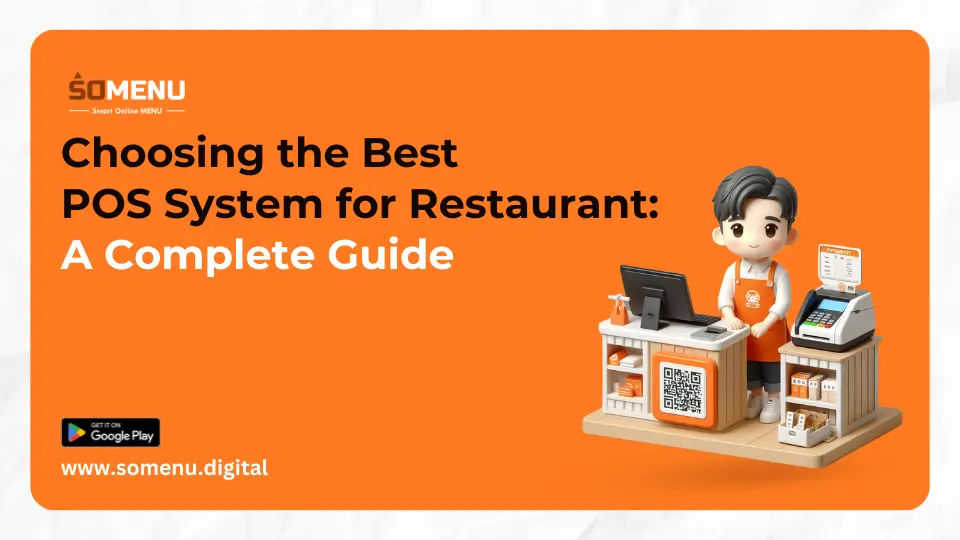
Choosing the Best POS System for Restaurant: A Complete Guide

Running a successful restaurant involves more than just great food and customer service—it also requires efficient operations and streamlined processes. A crucial tool for achieving this is a Point of Sale (POS) system.
A good POS system can streamline order management, track inventory, handle payments, and offer valuable insights into customer behavior and sales data. However, with so many POS systems available on the market, choosing the best one for your restaurant can be overwhelming.
This comprehensive guide will walk you through the key factors to consider when selecting a POS system for your restaurant and highlight some of the top options available.
1. What is a POS System?
A Point of Sale (POS) system is a combination of hardware and software that allows restaurants to process customer orders, manage inventory, track sales, and handle various aspects of day-to-day operations. Modern POS systems go beyond simple cash registers and offer a wide range of features that can improve efficiency, customer experience, and even staff management.
For restaurants, POS systems are essential tools for streamlining operations, ensuring orders are accurately processed, managing kitchen communications, and optimizing the overall workflow. A well-chosen POS system can streamline operations for your staff and make running your restaurant a breeze.
2. Why Do Restaurants Need a POS System?
POS systems are critical for restaurants for several reasons:
- Efficient Order Management: POS systems enable waitstaff to send orders directly to the kitchen, reducing errors and ensuring faster service.
- Payment Processing: They handle various payment methods, from cash to credit/debit cards and mobile wallets.
- Inventory Management: POS systems help track inventory levels, reducing the likelihood of running out of stock or over-ordering.
- Sales Reporting and Analytics: A POS system can generate detailed sales reports, providing insights into peak hours, popular menu items, and overall sales trends.
- Employee Management: Many POS systems include features to track employee hours, manage shifts, and monitor performance.
3. Key Features to Look for in a POS System for Restaurants
When choosing the best POS system for your restaurant, there are several critical features you should consider. These will ensure that your POS system meets your specific operational needs and helps your business thrive.
3.1. Order and Table Management
A restaurant POS system should simplify order taking and table management. Look for systems that allow servers to take orders quickly and send them directly to the kitchen or bar, reducing the chances of mistakes. Advanced POS systems also offer tools for managing reservations, seating arrangements, and table turnover rates, allowing you to optimize seating and maximize revenue.
3.2. Payment Processing and Flexibility
The POS system you choose should be capable of processing various types of payments, including:
- Credit and Debit Cards
- Mobile Payments (e.g., Apple Pay, Google Pay)
- Contactless Payments
- Gift Cards and Loyalty Points
A well-chosen POS system will seamlessly integrate payment processing, ensuring smooth and secure transactions.
3.3. Inventory Tracking and Management
A POS system that tracks your inventory in real-time is crucial for keeping your kitchen well-stocked without over-ordering. It should notify you when stock levels are low and even help you generate purchase orders. Some advanced POS systems can integrate with your suppliers for automatic restocking based on sales trends.
3.4. Sales Reporting and Analytics
Detailed reporting and analytics are essential for any restaurant business. Look for a POS system that offers real-time sales reports, allowing you to track daily revenue, the most popular items, and peak sales times. Advanced systems can even break down customer preferences and help you make data-driven decisions to improve your menu and overall operations.
3.5. Employee Management and Scheduling
Many POS systems offer integrated features for managing employee schedules, tracking hours worked, and monitoring staff performance. This can simplify payroll processing and allow you to spot staffing inefficiencies. Some systems offer tools for assigning tasks and roles or even tracking tips and commissions.
3.6. Customer Relationship Management (CRM)
Some POS systems have built-in CRM tools that help you track customer preferences and order histories. This allows you to personalize customer interactions, offer targeted promotions, and improve customer loyalty. These systems often integrate with email marketing and loyalty programs to further enhance your customer retention strategy.
3.7. Integration Capabilities
A good POS system should integrate with other tools and software you use for accounting, marketing, reservations, and delivery management. Seamless integration between your POS and these systems helps streamline your operations and ensures that all aspects of your business are in sync.
3.8. Cloud-Based vs. On-Premise Systems
Cloud-Based POS:
- Offers flexibility as you can access the system from anywhere with an internet connection.
- Allows for automatic updates and real-time data syncing.
- Generally lower upfront costs with subscription-based pricing.
On-Premise POS:
- Installed on local servers and operates without an internet connection.
- Offers more control but requires manual updates and potentially higher upfront costs.
Cloud-based systems are generally more popular due to their flexibility and ease of use, especially for restaurants with multiple locations or mobile operations.
4. How to Choose the Best POS System for Your Restaurant
With so many options available, it’s important to assess your restaurant’s specific needs and priorities when choosing the best POS system. Here are some key steps that help you make the correct choice:
Step 1: Evaluate Your Restaurant’s Needs
- Are you a small café, a fast-food restaurant, or a large multi-location establishment? Different POS systems cater to different types of restaurants, so choose one that matches your scale and service style.
Step 2: Determine Your Budget
- POS systems range from basic, affordable options to more advanced, feature-rich systems that come with a higher price tag. Evaluate the total cost of ownership, including upfront expenses for hardware and software, as well as ongoing fees for payment processing.
Step 3: Consider Future Growth
- Select a POS system that is scalable to accommodate your business's future growth. If you plan to expand or open additional locations, select a system that can easily scale.
Step 4: Test and Compare
- Many POS systems offer free trials or demos. Take advantage of these to test the system and ensure it fits your restaurant’s needs. Compare user interfaces, ease of use, and customer support.
Conclusion
Choosing the right POS system for your restaurant is a critical decision that can significantly impact your day-to-day operations and long-term success.
Whether you run a small café or a large multi-location restaurant, a modern POS system will streamline your processes, improve customer service, and give you valuable insights into your business performance.
By considering your restaurant’s specific needs, comparing features, and testing different systems, you can find the best POS solution to help your business thrive.