Category: Technology
How to Choose the Best Free Billing Software for Restaurant Business?

Running a successful restaurant is no easy feat. From managing orders to handling inventory, restaurants face a constant flow of tasks that need to be managed efficiently. One crucial element that often gets overlooked is the billing process.
In today’s fast-paced world, restaurants need to implement a streamlined, reliable billing system that helps manage transactions smoothly while also offering vital insights into sales, inventory, and customer preferences. The good news? There are free billing software options available that cater to these needs without requiring a hefty investment.
However, with so many free billing software solutions on the market, how do you know which one is the best fit for your restaurant? In this guide, we’ll explore the key features you should look for when choosing a free billing software for restaurant, the benefits of using free software, and some of the best options available for restaurant business.
1. Understand Your Restaurant’s Needs
The first step in choosing the best free billing software is understanding your specific needs. Every restaurant is different, and what works for one establishment might not work for another. Think about the size of your restaurant, the volume of transactions, and any unique features you may require, such as managing reservations or handling online orders.
- Restaurant Size and Volume: Small restaurants with minimal transactions may not need a complex system, while larger establishments with high customer turnover may require more advanced features like table management and split billing.
- Service Type: Consider whether your restaurant is a fine dining establishment, a quick-service restaurant (QSR), or a café. Free software that works well for a QSR may not be suitable for fine dining due to differences in billing processes.
- Order Management: If your restaurant offers online orders, delivery, or takeout, make sure your billing software can integrate with these services to provide seamless management.
2. Key Features to Look For in Free Billing Software
While you may be opting for free billing software, that doesn’t mean you should compromise on essential features. Here are some of the key features that a good billing software should provide to ensure efficiency and smooth operations:
a. POS (Point of Sale) System Integration
A good billing software should have POS integration. This allows you to manage orders, track sales, and generate bills all from one system. Many free billing software options come with POS features that help streamline your billing process, reducing errors and improving speed.
- Seamless Billing: With POS integration, you can automatically generate bills based on orders placed, whether they are dine-in, takeout, or delivery.
- Order Management: Track orders from different sources (in-house, delivery apps) and process them in one centralized system.
b. Inventory Management
For many restaurant owners, managing inventory is one of the most challenging aspects of running a business. A good billing software should also help you manage your inventory by tracking sales and monitoring stock levels.
- Automatic Stock Updates: As items are sold, your inventory should automatically update, so you know when it's time to reorder.
- Waste Reduction: Proper inventory tracking helps reduce wastage by giving real-time updates on what ingredients are running low or going unused.
c. Table Management
For restaurants with dine-in services, table management features are essential. Free billing software that includes table management can help streamline seating arrangements, track table orders, and manage wait times more efficiently.
- Real-Time Table Status: Know which tables are occupied, which are reserved, and which are available, all in real-time.
- Order Linking: Easily link table orders to the correct customer, ensuring accurate billing and reducing confusion.
d. Multi-Payment Options
Your restaurant should be able to accept payments through multiple methods, whether it's cash, credit/debit cards, mobile wallets, or online payments. A flexible billing system should accommodate various payment options to cater to your customers' preferences.
- Multiple Payment Methods: Ensure the software supports cash, cards, and digital payments like Google Pay, PayPal, or Apple Pay.
- Split Billing: Many customers prefer to divide the bill among themselves. Choose software that can handle split billing for group orders with ease.
e. Reporting and Analytics
One of the most valuable features of modern billing software is its ability to generate detailed reports and analytics. Even free software often comes with basic reporting tools that can help you track sales, analyze trends, and understand customer behavior.
- Sales Reports: Monitor daily, weekly, and monthly sales trends to identify peak hours and best-selling menu items.
- Customer Insights: Analyze popular menu items to inform data-driven decisions on menu updates and promotions.
f. User-Friendly Interface
No matter how feature-rich a billing software is, if it’s not easy to use, it can slow down operations. A user-friendly interface is essential to ensure that your staff can quickly learn and use the software with minimal training.
- Ease of Use: Look for an intuitive interface that your team can easily navigate, especially during peak hours.
- Quick Setup: Choose software that offers a simple setup process, so you can get it running in no time.
3. The Benefits of Free Billing Software
Choosing free billing software doesn’t just save you money; it offers several other advantages, especially for small and mid-sized restaurants:
a. Low-Cost Entry
Free software options eliminate the high upfront costs of paid billing systems, making them an ideal solution for startups and small restaurants with tight budgets. You can invest the savings into other areas of your business, such as marketing or improving customer service.
b. No Long-Term Commitment
Most free billing software doesn’t require long-term contracts, allowing you to try out the system before committing. If the software meets your needs, you can continue using it, and if not, you can switch to another solution without financial loss.
c. Access to Basic Features
Many free billing systems come with enough features to manage the core needs of small to medium-sized restaurants. These include basic billing, sales tracking, and inventory management, which may be sufficient for businesses that don't require advanced functionality.
4. Popular Free Billing Software Options for Restaurants
To help narrow down your search, here are some popular free billing software options designed specifically for restaurants:
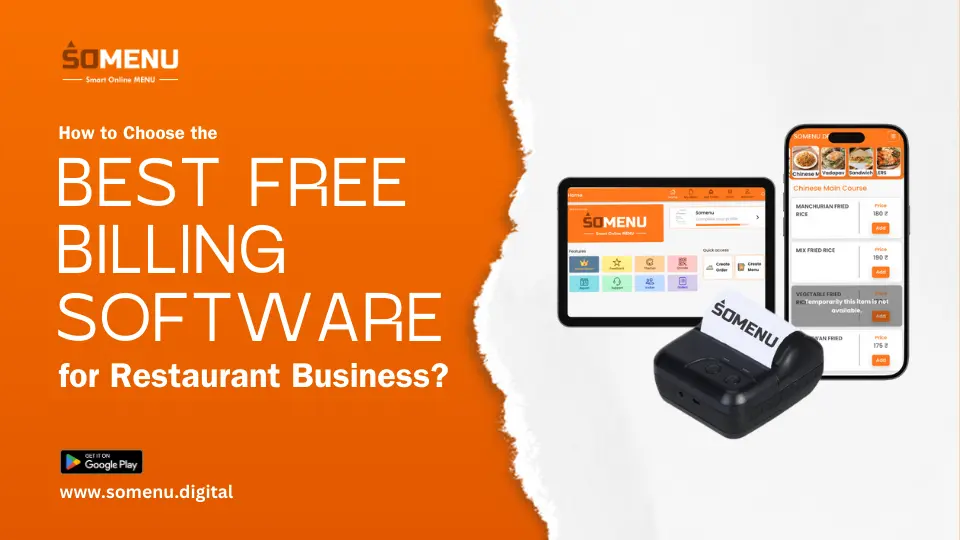
- SOMENU POS: An advanced cloud-based POS solution designed specifically for restaurants and food service businesses. It simplifies order management, billing, and customer interactions by providing a user-friendly interface that integrates seamlessly with mobile devices. With features like real-time reporting, inventory management, and menu customization, SoMenu POS helps streamline restaurant operations while delivering a smooth and efficient experience for both staff and customers.
- Loyverse POS: A user-friendly POS system that’s ideal for small restaurants. It offers features like order management, inventory tracking, and sales analytics.
- Floreant POS:A flexible point-of-sale system that can be tailored to your specific needs. It’s well-suited for small to mid-sized restaurants and includes basic billing and inventory management.
- eHopper POS: Designed for small restaurants, this software includes features like inventory management, multi-payment options, and reporting tools.
- Square POS: While not entirely free, Square POS offers a free tier that includes payment processing, sales tracking, and basic reporting.
Conclusion
Choosing the right free billing software for your restaurant business is an important decision that can significantly impact your operations, customer satisfaction, and profitability. By understanding your specific needs and prioritizing key features such as POS integration, inventory management, and user-friendliness, you can select a solution that helps streamline your billing process and improve overall efficiency.
While free billing software offers numerous benefits, it's essential to ensure that the system you choose can scale with your business as it grows. Whether you're managing a small café or a full-service restaurant, investing in the right billing software will help you manage orders, track sales, and provide an exceptional customer experience—all without breaking the bank.